
Independent, unofficial app for Music Assistant
Mobile MA
Your music. Your server. Everywhere.
An independent, native client for Music Assistant: start music in any room, group players, bookmark stations — from your iPhone, on your Mac, in the car, on your wrist and on your TV. No cloud, no account, even away from home.
 Free download · Unlimited is a one-time purchase, no subscription · iPhone, iPad, Mac, Apple Watch, Apple TV & CarPlay · iOS 18.6+ · macOS 26+ · tvOS 17.0+
Mobile MA is an independent project by Sven Hanold. It is not affiliated with, developed, endorsed or reviewed by the Music Assistant project or the Open Home Foundation.
What the app does
Players, groups & queue
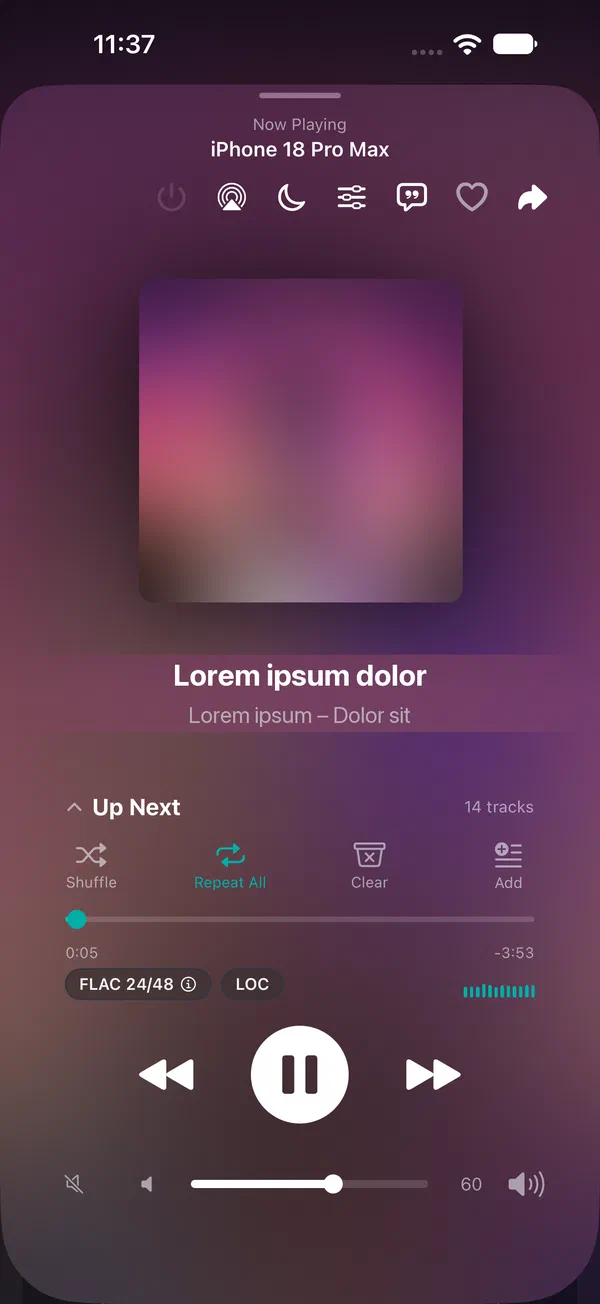
Multi-room scenes, mini player, volume and queue — every player under control, synced in real time.
Learn more →Access from anywhere
With WebRTC remote access you control your Music Assistant outside your home network — no VPN needed.
Learn more →CarPlay
Bookmark favorite stations and keep listening in the car — radio, playlists, and more on CarPlay.
Learn more →Apple Watch
Control playback straight from your wrist — without reaching for your iPhone.
Learn more →Apple TV
Music Assistant on the big screen — players, library and search right from the couch.
Learn more →Mac
Mobile MA as a real Mac app — with a sidebar, keyboard shortcuts, widgets and a player in the menu bar.
Learn more →Library, podcasts & radio
Albums, artists, playlists, podcasts, and radio — quickly searched and beautifully presented.
Learn more →Your data stays yours
What you listen to stays between you and your server. No cloud, no accounts, no third-party tracking.
Learn more →What's new
Scene collage, scenes per server, filters in one menu
Scenes
- A scene can show the artwork of its media as a collage – on the Home tile, in the widget, in CarPlay, on Apple TV and as a thumbnail on Apple Watch. Turn on “Use media artwork” in the scene editor. Requires version 4.6 on all devices that sync via iCloud.
- Scenes belong to their server: if you use several Music Assistant servers, you only see the scenes of the connected server. The same applies on Apple TV. Existing scenes sort themselves once their server has been connected. The others are listed in scene management under “Other Servers” – with “Move to This Server” or “Show on All Servers”.
- “Favorite albums — shuffled”: the shuffle switch now works. On mixes the tracks of all albums, off shuffles the albums and plays each one through (Music Assistant 2.10 or later).
- Apple Watch: starting a scene only reports success once it has actually worked – otherwise the watch tells you why.
Library and search
- Filters, sorting and providers now live in one menu at the top of the navigation bar – the same in Library, Favorites and Search. A filled icon shows that a filter is active.
- Search: pick providers before you search, several at once (Music Assistant 2.10 or later). Audiobooks now appear in the results.
- While you type, the app waits for two characters and a short pause before it searches – easier on providers like Spotify. New switch “Search while typing” under Settings › Appearance & Search.
- Genres: your own genres are visible, and the genre page also lists tracks.
Players
- New filter in the overview: only players that are playing or paused.
- Players that are switched off but reachable (e.g. Squeezelite) can be turned on right from “Inactive Speakers”.
- “Previous” restarts the track everywhere once it has played for more than five seconds – in the widget, on the watch and in CarPlay, just like in “Now Playing”.
- After switching to another server, the list shows its players right away.
Home and setup
- “Pinned”: if more than three pins are set, Home now tells you how many more come with Unlimited – instead of hiding them silently.
- When choosing your favorite player, each player shows its matching icon; long lists scroll.
iPhone Duo
- Unfolded in portrait, “Now Playing” fits into one half: artwork next to the title, controls below.
Improved and fixed
- Widgets follow your text size setting.
- Compact toolbars have tap targets of equal width that are easy to hit.
- Apple Watch: artwork shows up reliably after Previous or Next.
- Diagnostic log: titles, search terms and addresses only appear as short codes.
- Mac: “Browse” is now in the sidebar, the toolbar and the “Go” menu.
Support
Questions, problems, or an idea for Mobile MA? Get in touch through our support form.
Replies usually within 1–2 days.
Built on
Mobile MA is an independent, unofficial client for Music Assistant — with great respect and thanks to the team that develops and maintains this project.